Image to Pixel Art 32x32
Fixed 32×32 square sprites for RPG characters, emoji, and icons.
Please click or drag image here
PNG, JPG, JPEG, or WebP · 5MB max
Download successful!
Your pixel art is saved.
32×32 pixel art examples
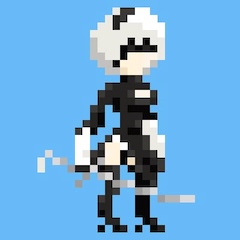
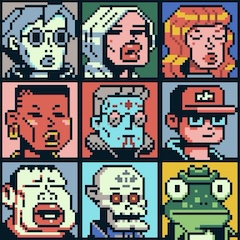
What is Image to Pixel Art 32x32?
This converter always outputs a 32×32 square (1,024 pixels). That is the workhorse sprite size: large enough for a full-body character, a readable face, and a Discord emoji, still small enough to feel like pixel art instead of a tiny photo.
It is not the homepage tool. The homepage pixelates any aspect ratio with a density slider and retro filters. Here the canvas is locked to 32×32 so game and icon pipelines get a predictable asset.
How to convert an image to 32×32 pixel art
- Drop in a photo. Nothing is uploaded — the grid is built in the browser.
- Pick Crop to fill for portraits, or Contain when you must keep the full silhouette.
- Leave colors as-is, or map them onto NES, PICO-8, grayscale, or another palette.
- Export PNG or ICO at 1× (32px), 2× (64px), or 4× (128px). Upscale is nearest-neighbor, so each logical pixel stays a hard square.
What 32×32 is for
- RPG and indie sprites — a standing character, a chest, a slime. 32×32 is the default in many tile engines.
- Discord and chat emoji — custom emoji are displayed around this scale; starting at 32×32 keeps edges clean.
- App and desktop icons — 32×32 is a classic Windows / taskbar size; ICO export wraps the sprite for icon use.
- Tilesets — one 32×32 cell matches common 32px maps without a second resize step.
32×32 vs smaller and larger squares
16×16 is a silhouette and a favicon — you lose the torso. 48×48 adds portrait detail and a softer pixel look. 32×32 sits in the middle: you can read a haircut and a weapon, and the file is still a sprite, not a thumbnail. If you later need 64×64 as its own keyword workflow, that will be a separate page — this tool will not grow extra grids.
32×32 FAQ
Can I change the grid to 64×64 here?
No. The art grid is always 32×32. 2× export is a sharp 64×64 PNG of the same 32×32 cells, not a more detailed painting.
PNG or ICO?
PNG for games, Discord, and the web. ICO when you want a Windows-style icon file from the same sprite.
Does this replace the main converter?
No. Use this page for a guaranteed square 32×32 sprite. Use the main converter for wide photos, filters, and custom grid density.
这是什么工具?
本页固定输出 32×32 正方形(1024 格)。这个尺寸够画一个站立角色、一张能认出的脸、一枚聊天表情,同时又小到仍然是像素画,而不是缩小后的照片。
它不是首页转换器。首页可以任意比例、调节密度、套复古滤镜;这里把画布锁在 32×32,方便游戏和图表流水线拿到规格统一的素材。
如何转成 32×32 像素画
- 拖入照片,全部在浏览器本地处理。
- 人像用「铺满」;必须保住完整轮廓就用「适应」。
- 可保留原色,或映射到 NES、PICO-8、灰度等调色板。
- 导出 PNG 或 ICO:1× 为 32px,2× 为 64px,4× 为 128px,最近邻放大。
32×32 适合什么
- 独立游戏精灵 — 很多 32px 地图和角色默认就是这一格。
- 聊天表情 — 从 32×32 起步,缩到表情尺寸时边缘更利落。
- 应用图标 — 任务栏常见规格,ICO 可直接当图标文件。
- 图块 — 和 32px 地图对齐,不必二次缩放。
和 16、48 有什么不同
16×16 只能放下轮廓和图标;48×48 更像小头像。32×32 刚好能看出发型和武器,文件仍是精灵图。本页不会再加 64 网格——那是以后单独的工具页;这里的 2× 只是把 32 格放大成 64px 图片。
常见问题
能在这里改成 64×64 网格吗?
不能。画布永远是 32×32。2× 导出是同一张 32 格画的 64px PNG,细节不会变多。
用 PNG 还是 ICO?
游戏和网页用 PNG;要 Windows 图标文件用 ICO。
和首页有什么区别?
要保证方形 32×32 用本页;宽照片、滤镜、自由网格请用 主转换器。