Image to Pixel Art 16x16
Fixed 16×16 square sprites for favicons, items, and tiny emotes.
Please click or drag image here
PNG, JPG, JPEG, or WebP · 5MB max
Download successful!
Your pixel art is saved.
16×16 pixel art examples
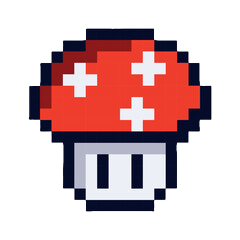
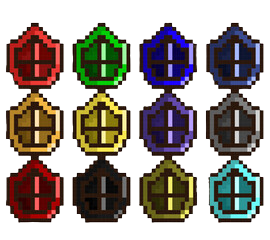
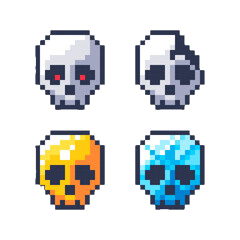
What is Image to Pixel Art 16x16?
This tool converts a photo into a fixed 16×16 square sprite. You always get a 16 by 16 grid — 256 pixels total — not a freeform pixelation slider. That constraint is the point: 16×16 is the size of a favicon, a Minecraft item icon, a tiny emoji, and the chunkiest readable game sprite.
The main Image2Pixel converter keeps arbitrary aspect ratios and adjustable density. This page only answers one job: image to pixel art 16x16.
How to make a 16×16 pixel sprite
- Upload a JPG, PNG, or WebP photo (5MB max). Processing stays in your browser.
- Fit the square. Center-crop keeps the subject; fit-on-transparent letterboxes the whole image on a clear background.
- Optional palette. Keep original colors, or snap to NES, PICO-8, grayscale, or a custom palette.
- Download PNG or ICO at 1× (16px), 2× (32px), or 4× (64px) with nearest-neighbor scaling so pixels stay sharp.
When 16×16 is the right size
- Favicons and tab icons — browsers still treat 16×16 as the native favicon grid. Export ICO for classic icon files.
- Minecraft-style item icons — a 16×16 face, gem, or tool reads instantly at inventory scale.
- Ultra-tiny emotes — Discord and forums squash small stickers; starting at 16×16 avoids muddy downscales later.
- Game Boy / 8-bit faces — 16×16 is enough for a silhouette, a hat, two eyes. Extra pixels would fight the aesthetic.
Crop vs transparent padding
Photos are rarely square. Crop to fill uses the shortest edge, cuts the long sides, then downsamples to 16×16 — best for portraits and products. Fit on transparent scales the whole image into the square and leaves empty cells see-through — best for logos, existing sprites, and anything whose outline must not be clipped.
16×16 FAQ
Is the grid always 16×16?
Yes. This page does not offer 32×32 or 48×48 grids. Need those sizes? Use the dedicated 32×32 or 48×48 converters.
Why is a 16×16 PNG so small?
1× is the true sprite (16 pixels wide). Choose 4× to download a 64×64 PNG that still contains exactly 16×16 color cells — useful for sharing and mockups. ICO is better when you need a favicon file.
Are photos uploaded to a server?
No. Conversion runs locally in the browser. Nothing is stored on Image2Pixel.
这是什么工具?
本页把任意图片转成固定 16×16 正方形像素画,一共 256 格,没有自由比例,也没有连续网格滑条。16×16 就是 favicon、Minecraft 物品栏图标、极小表情包的尺寸。
首页转换器负责任意宽高比和可调像素密度;这一页只做一件事:输出 16×16。
怎么生成 16×16 像素画
- 上传 JPG / PNG / WebP(最大 5MB),处理在浏览器本地完成。
- 非正方形图:铺满/居中裁切,或缩放到透明方画布上。
- 可选调色板:保留原色,或映射到 NES、PICO-8、灰度等。
- 下载 PNG 或 ICO,可选 1×(16px)、2×(32px)、4×(64px),最近邻放大,方块不会发糊。
什么时候该用 16×16
- 网站图标 — 标签栏 favicon 的原生网格,ICO 可直接当图标文件。
- 物品图标 — 16×16 足够认出一把剑、一颗宝石。
- 极小表情 — 先在 16 格里画完,再放大,比从大图硬缩更干净。
- 复古小脸 — 两个眼睛、一个轮廓,多一格都会失去 Game Boy 的味道。
铺满还是适应?
铺满按短边取正方形,适合人像和商品。适应把整张图放进方框,四周透明,适合 logo 和已有透明精灵,避免轮廓被切掉。
常见问题
网格能改成别的尺寸吗?
不能。本页只输出 16×16。需要 32 或 48 请用对应工具页。
1× 的 PNG 为什么这么小?
那是真正的 16 像素宽精灵。分享、预览请选 4×(64×64),格子数仍是 16×16。做网站图标更适合 ICO。
图片会上传到服务器吗?
不会,全部在本地浏览器完成。